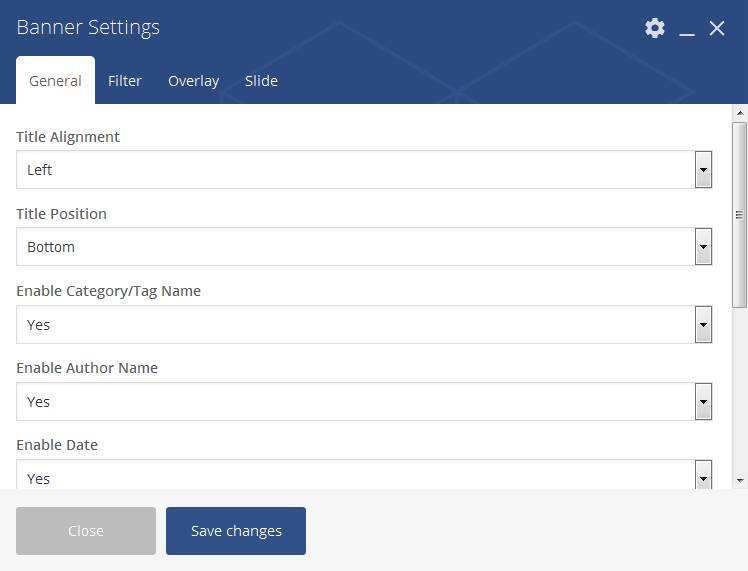
General Settings
- Title Alignment: This is to show the title in Left/Center/Right alignment.
- Title Position: This is to show the title in Top/Center/Bottom position of the banner grid
- Enable Category/Tag Name: This is to enable or disable the Category or Tag name on the banner grid.
- Enable Author Name: This is to enable/disable the author name on banner grid.
- Enable Date: This is to enable/disable the Date on banner grid.
- Enable Post Format Icon: You can enable/disable the post format icon on the banner grid.
- Banner Modal: Newsfox having different banner modals from Banner 1 to 7 and Dynamic Modal.
- Banner Gutter Size: Enter here banner gutter size you want. eg: 2.
Select Tag/Category
- Select Tag/Category: This is to show the Category/Tag in the banner grid.
- Category Slug’s: You can show the post from your needed categories or empty filed shows all the post from all categories based on the filter you chosen.
- Filter: This is to show the post from latest/randomly.
- Exclude Post ID’s: Manually enter post id’s for exclude. eg: 21, 15, 30
Overlay Settings
Newsfox banner grid have the following overlay options. See the demo for more.
- Black Gradient
- Theme Gradient
- Flat Black
- Rainbow
Slide Settings
- Banner Slide: You can enable/disable the banner slide option.
- Enable Loop: This is to enable/disable the loop option for banner slide.
- Enable Autoplay: You can enable/disable the autoplay option for banner slide.
- Enable Navigation: This is to enable/disable the navigation for banner.
- Enable Pagination: This is to enable/disable the pagination for banner.
- Number of Slide to Show: You can set the value to show the number of slide.
- Slide Timeout: This is setting for slide interval. eg: 1000 = 1 second.
- Slide Autoplay Speed: This is setting for slide speed. eg: 1000 = 1 second.
- Navigation Modal: You can set the navigation modal as Normal/Wide.
- Navigation Position: This is to show the navigation in Top/Bottom position.
- Navigation Alignment: This is to show the navigation in Left/Center/Right Alignment.